
About
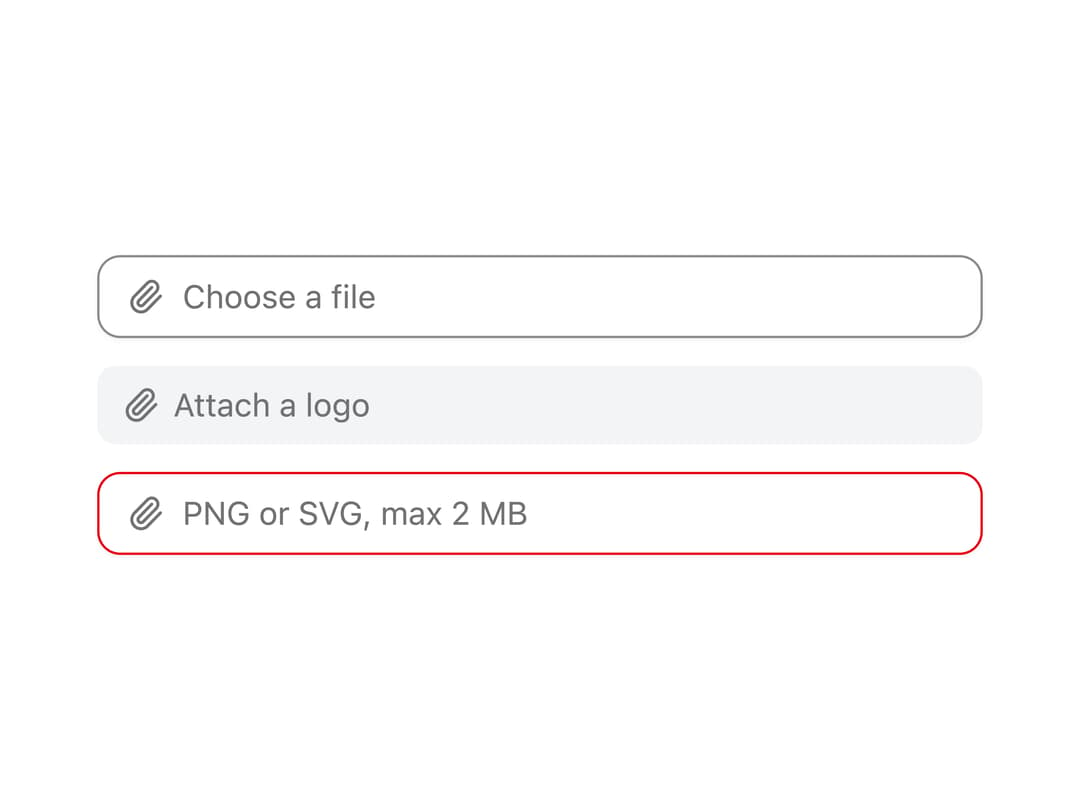
A styled file picker that hides the native file input under a custom surface with a leading icon, selected file name (or multi-file count), and an optional clear button.
Built with React and Tailwind. Copy the prompt and paste it into Claude Code, Cursor or Lovable: your agent adds File Input to your project and fits it to your theme.
Code
How File Input is used: the demo's code. The component's own source comes with a free account.
Usage.tsx
import { FileInput } from "@/components/ui/file-input";

export default function FileInputDemo() {
  return (
    <div className="flex w-full max-w-sm flex-col gap-3">
      <FileInput aria-label="Upload attachment" />
      <FileInput
        variant="soft"
        size="sm"
        placeholder="Attach a logo"
        aria-label="Upload logo"
      />
      <FileInput
        tone="danger"
        placeholder="PNG or SVG, max 2 MB"
        aria-label="Upload avatar"
        aria-invalid="true"
      />
    </div>
  );
}
Dependencies
More by ai 2
View all
Ripple Buttons
31
Styled Toggle Switches
17
Styled Progress Bars
15
Styled Badges
10
Particle Toggles
8
OTP Pin Input
8
Combo Kbd
7
Shapes Skeleton
6
More in Forms
View all

Premium Auth
524

Contact Card
1K

Book A Demo 1
73

Login 1
53

Form
137

Card Studio
41
SignInPage
667

Modern & Stunning sign in
1.6K
