
About
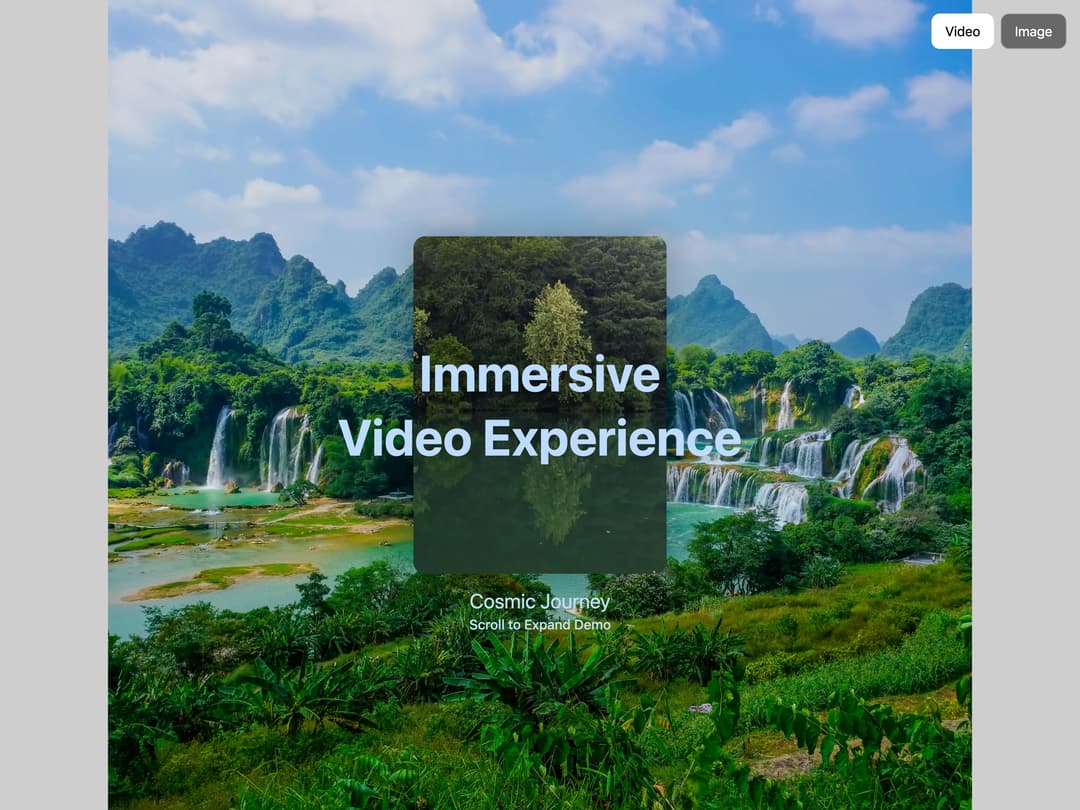
A modern, interactive media component for Next.js that expands videos or images as users scroll, creating an engaging and immersive experience.
Built with React and Tailwind. Copy the prompt and paste it into Claude Code, Cursor or Lovable: your agent adds Scroll media expansion hero to your project and fits it to your theme.
Code
How Scroll media expansion hero is used: the demo's code. The component's own source comes with a free account.
Usage.tsx
"use client";

import { useState, useEffect } from "react";
import ScrollExpandMedia from "@/components/ui/scroll-expansion-hero";

interface MediaAbout {
  overview: string;
  conclusion: string;
}

interface MediaContent {
  src: string;
  poster?: string;
  background: string;
  title: string;
  date: string;
  scrollToExpand: string;
  about: MediaAbout;
}

interface MediaContentCollection {
  [key: string]: MediaContent;
}

const sampleMediaContent: MediaContentCollection = {
  video: {
    src: "https://me7aitdbxq.ufs.sh/f/2wsMIGDMQRdYuZ5R8ahEEZ4aQK56LizRdfBSqeDMsmUIrJN1",
    poster:
      "https://cdn.21st.dev/assets/localized/5bb1be92440e920def3eb36ad5a610d609240616cd8b11c0effe6b92bcafe06e.jpg",
    background:
      "https://me7aitdbxq.ufs.sh/f/2wsMIGDMQRdYMNjMlBUYHaeYpxduXPVNwf8mnFA61L7rkcoS",
    title: "Immersive Video Experience",
    date: "Cosmic Journey",
    scrollToExpand: "Scroll to Expand Demo",
    about: {
      overview:
        "This is a demonstration of the ScrollExpandMedia component with a video. As you scroll, the video expands to fill more of the screen, creating an immersive experience. This component is perfect for showcasing video content in a modern, interactive way.",
      conclusion:
        "The ScrollExpandMedia component provides a unique way to engage users with your content through interactive scrolling. Try switching between video and image modes to see different implementations.",
    },
  },
  image: {
    src: "https://cdn.21st.dev/assets/mirror/ad/adc771c0e00a1084360e689009e485c7990c973d0fe12ffc8fd5b2b8a6029af2.jpg",
    background:
      "https://cdn.21st.dev/assets/mirror/57/5738a2d4c1108a2f418ed6496233d20f643925a998f323a30cb8393d0a122f75.jpg",
    title: "Dynamic Image Showcase",
    date: "Underwater Adventure",
    scrollToExpand: "Scroll to Expand Demo",
    about: {
      overview:
        "This is a demonstration of the ScrollExpandMedia component with an image. The same smooth expansion effect works beautifully with static images, allowing you to create engaging visual experiences without video content.",
      conclusion:
        "The ScrollExpandMedia component works equally well with images and videos. This flexibility allows you to choose the media type that best suits your content while maintaining the same engaging user experience.",
    },
  },
};

const MediaContent = ({ mediaType }: { mediaType: "video" | "image" }) => {
  const currentMedia = sampleMediaContent[mediaType];

  return (
    <div className="max-w-4xl mx-auto">
      <h2 className="text-3xl font-bold mb-6 text-black dark:text-white">
        About This Component
      </h2>
      <p className="text-lg mb-8 text-black dark:text-white">
        {currentMedia.about.overview}
      </p>

      <p className="text-lg mb-8 text-black dark:text-white">
        {currentMedia.about.conclusion}
      </p>
    </div>
  );
};

export const VideoExpansionTextBlend = () => {
  const mediaType = "video";
  const currentMedia = sampleMediaContent[mediaType];

  useEffect(() => {
    window.scrollTo(0, 0);

    const resetEvent = new Event("resetSection");
    window.dispatchEvent(resetEvent);
  }, []);

  return (
    <div className="min-h-screen">
      <ScrollExpandMedia
        mediaType={mediaType}
        mediaSrc={currentMedia.src}
        posterSrc={currentMedia.poster}
        bgImageSrc={currentMedia.background}
        title={currentMedia.title}
        date={currentMedia.date}
        scrollToExpand={currentMedia.scrollToExpand}
        textBlend
      >
        <MediaContent mediaType={mediaType} />
      </ScrollExpandMedia>
    </div>
  );
};

export const ImageExpansionTextBlend = () => {
  const mediaType = "image";
  const currentMedia = sampleMediaContent[mediaType];

  useEffect(() => {
    window.scrollTo(0, 0);

    const resetEvent = new Event("resetSection");
    window.dispatchEvent(resetEvent);
  }, []);

  return (
    <div className="min-h-screen">
      <ScrollExpandMedia
        mediaType={mediaType}
        mediaSrc={currentMedia.src}
        bgImageSrc={currentMedia.background}
        title={currentMedia.title}
        date={currentMedia.date}
        scrollToExpand={currentMedia.scrollToExpand}
        textBlend
      >
        <MediaContent mediaType={mediaType} />
      </ScrollExpandMedia>
    </div>
  );
};

export const VideoExpansion = () => {
  const mediaType = "video";
  const currentMedia = sampleMediaContent[mediaType];

  useEffect(() => {
    window.scrollTo(0, 0);

    const resetEvent = new Event("resetSection");
    window.dispatchEvent(resetEvent);
  }, []);

  return (
    <div className="min-h-screen">
      <ScrollExpandMedia
        mediaType={mediaType}
        mediaSrc={currentMedia.src}
        posterSrc={currentMedia.poster}
        bgImageSrc={currentMedia.background}
        title={currentMedia.title}
        date={currentMedia.date}
        scrollToExpand={currentMedia.scrollToExpand}
      >
        <MediaContent mediaType={mediaType} />
      </ScrollExpandMedia>
    </div>
  );
};

export const ImageExpansion = () => {
  const mediaType = "image";
  const currentMedia = sampleMediaContent[mediaType];

  useEffect(() => {
    window.scrollTo(0, 0);

    const resetEvent = new Event("resetSection");
    window.dispatchEvent(resetEvent);
  }, []);

  return (
    <div className="min-h-screen">
      <ScrollExpandMedia
        mediaType={mediaType}
        mediaSrc={currentMedia.src}
        bgImageSrc={currentMedia.background}
        title={currentMedia.title}
        date={currentMedia.date}
        scrollToExpand={currentMedia.scrollToExpand}
      >
        <MediaContent mediaType={mediaType} />
      </ScrollExpandMedia>
    </div>
  );
};

function Demo() {
  const [mediaType, setMediaType] = useState("video");
  const currentMedia = sampleMediaContent[mediaType];

  useEffect(() => {
    window.scrollTo(0, 0);

    const resetEvent = new Event("resetSection");
    window.dispatchEvent(resetEvent);
  }, [mediaType]);

  return (
    <div className="min-h-screen">
      <div className="fixed top-4 right-4 z-50 flex gap-2">
        <button
          onClick={() => setMediaType("video")}
          className={`px-4 py-2 rounded-lg ${
            mediaType === "video"
              ? "bg-white text-black"
              : "bg-black/50 text-white border border-white/30"
          }`}
        >
          Video
        </button>

        <button
          onClick={() => setMediaType("image")}
          className={`px-4 py-2 rounded-lg ${
            mediaType === "image"
              ? "bg-white text-black"
              : "bg-black/50 text-white border border-white/30"
          }`}
        >
          Image
        </button>
      </div>

      <ScrollExpandMedia
        mediaType={mediaType as "video" | "image"}
        mediaSrc={currentMedia.src}
        posterSrc={mediaType === "video" ? currentMedia.poster : undefined}
        bgImageSrc={currentMedia.background}
        title={currentMedia.title}
        date={currentMedia.date}
        scrollToExpand={currentMedia.scrollToExpand}
      >
        <MediaContent mediaType={mediaType as "video" | "image"} />
      </ScrollExpandMedia>
    </div>
  );
}

export default Demo;
Dependencies
More by Arunachalam
View all
Profile Card Testimonial Carousel
1.3K
Modern Animated Sign In
1.1K
Bottom Nav Bar
837
Adaptive Notch Navigation Bar
692
Toast
661
Connected Carousel
426
Animated File Tree
342
Inverted Cursor
298
More in Heroes
View all

SaaS Template
2.5K

Hero
1.3K

Responsive Hero Banner
2K
Centered Hero with Image Fan
968
Editorial Collage Hero
458

Minimalist Hero Fashion
296
Glass Fold
279

Aero Hero-3
576
