
About
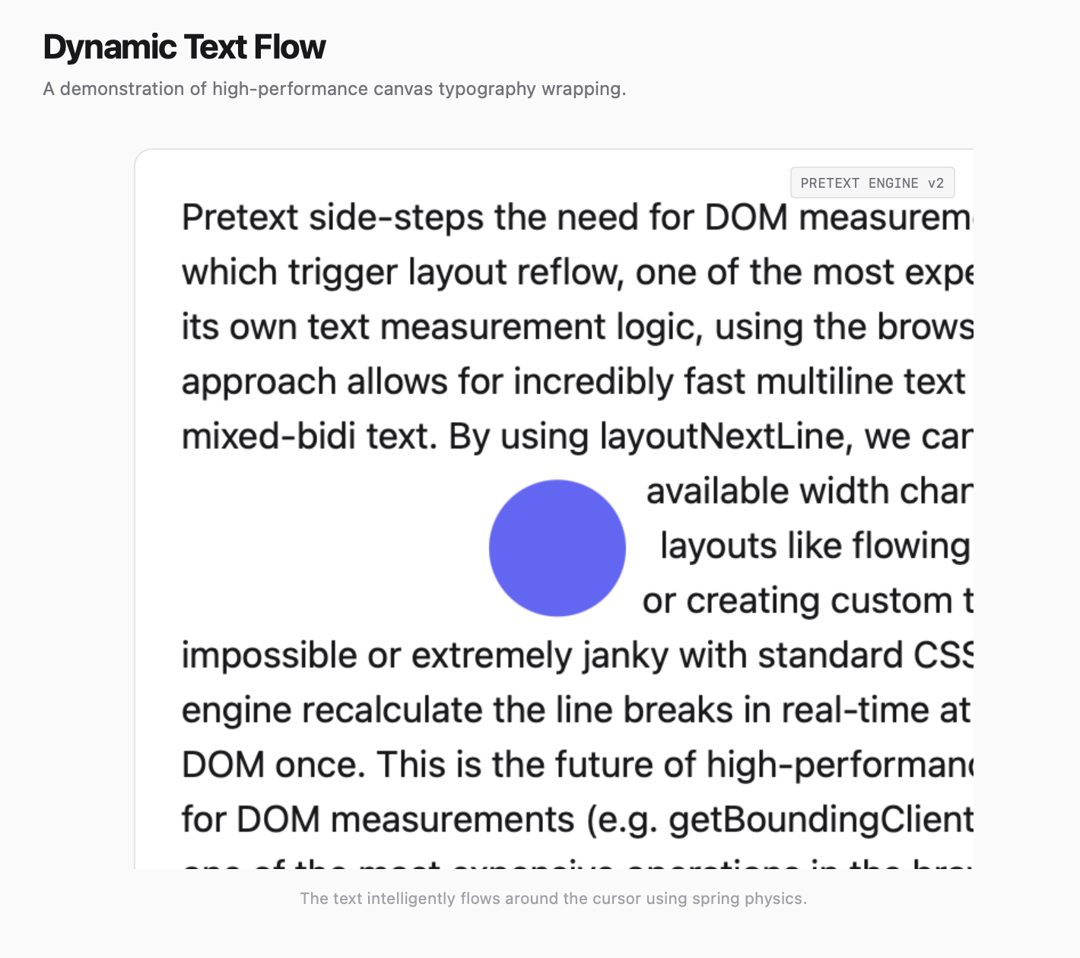
A demonstration of high-performance canvas typography wrapping.
Built with React and Tailwind. Copy the prompt and paste it into Claude Code, Cursor or Lovable: your agent adds Pretext Text Animation to your project and fits it to your theme.
Code
How Pretext Text Animation is used: the demo's code. The component's own source comes with a free account.
Usage.tsx
import TextFlowCanvas from "@/components/ui/pretext-text-animation";

export default function DemoOne() {
  const sampleText = `
    Pretext side-steps the need for DOM measurements (e.g. getBoundingClientRect, offsetHeight),
    which trigger layout reflow, one of the most expensive operations in the browser.
    It implements its own text measurement logic, using the browsers' own font engine
    as ground truth. This approach allows for incredibly fast multiline text layout
    that supports all languages, emojis, and mixed-bidi text.

    By using layoutNextLine, we can route text one row at a time even when the
    available width changes dynamically. This unlocks 21st-century layouts like
    flowing text around irregular shapes, floating obstacles, or creating
    custom text-wrapping editors that were previously impossible or
    extremely janky with standard CSS.

    Move your mouse over the canvas to see the engine recalculate the
    line breaks in real-time at 60 frames per second without touching
    the DOM once. This is the future of high-performance web typography.
  `.repeat(3);

  return (
    <main className="w-screen h-screen flex flex-col items-center justify-center bg-zinc-50 p-6 md:p-12">
      <div className="w-full max-w-4xl flex flex-col gap-6">
        <div className="space-y-2">
          <h1 className="text-3xl font-bold tracking-tight text-zinc-900">Dynamic Text Flow</h1>
          <p className="text-zinc-500">A demonstration of high-performance canvas typography wrapping.</p>
        </div>

        {/* Responsive Container */}
        <div className="w-full h-[600px] relative">
          <TextFlowCanvas text={sampleText} />
        </div>

        <p className="text-center text-xs text-zinc-400 italic">
          Try resizing your browser window to see the responsive canvas in action.
        </p>
      </div>
    </main>
  );
}
Dependencies
More by Daiwiik Harihar
View all

Spatial Product Showcase
2.3K
Perspective Tunnel Hero
1.2K
Constellation Grid
1.1K
Focus Rail
1.1K
Elastic Gallery
958
Rolling List
929
Hero Shutter Text
903
Text Block Animation
859
More in Text
View all

Vertical Cut Reveal Characters
110

Blur Reveal
313
Vapour Text Effect
2K

NeonRGBTextEffect
145

Rainbow Text Effect
47

Shine Border
968
Apple Hello Effect
620
Text Highlight
72

