
About
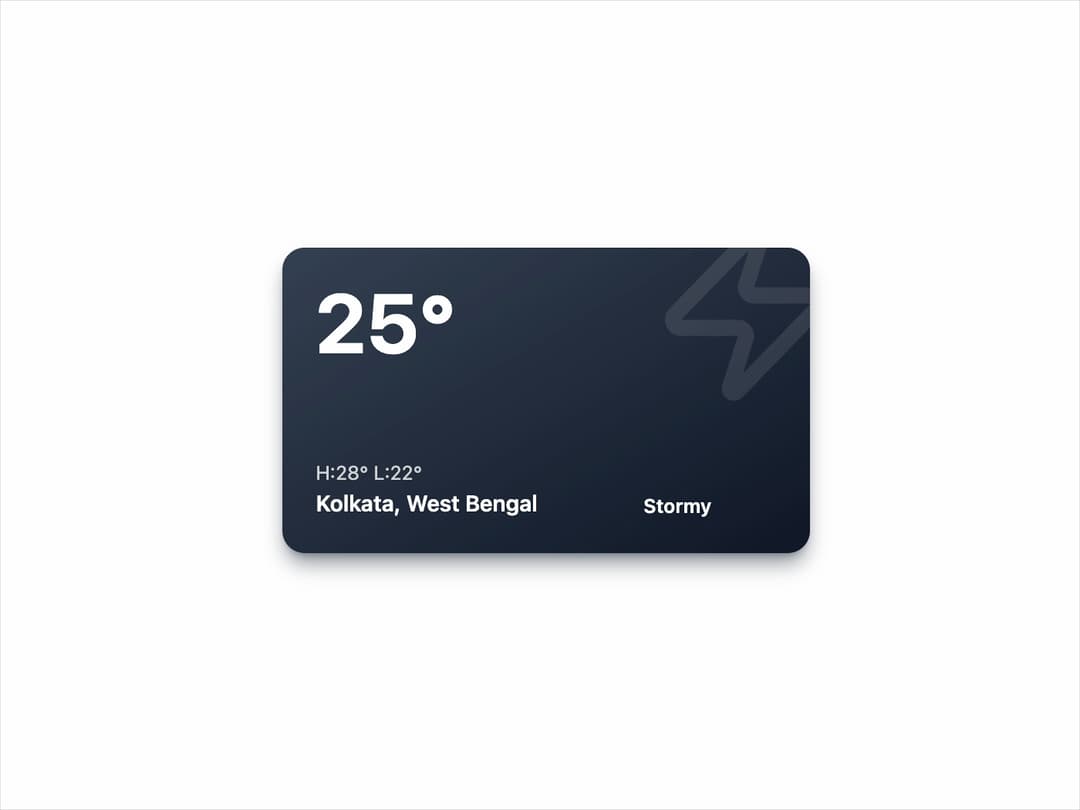
A modern, gradient-based weather information card displaying the current temperature, high/low forecast, location, and weather condition icon. The design features bold typography, clean spacing, and a subtle weather icon in the background, making it visually appealing and easy to read. Ideal for dashboards, travel apps, and weather widgets.
Built with React and Tailwind. Copy the prompt and paste it into Claude Code, Cursor or Lovable: your agent adds Weather Card to your project and fits it to your theme.
Code
How Weather Card is used: the demo's code. The component's own source comes with a free account.
Usage.tsx
import React, { useState, useEffect } from "react";
import { Sun, Cloud, CloudRain, Zap } from "lucide-react";
import { WeatherCard, type WeatherCardProps } from "@/components/ui/weather-card"; // Adjust the import path as needed

// Define the type for weather styles keys
type WeatherCondition = "Sunny" | "Cloudy" | "Rainy" | "Stormy";

// Sample data to cycle through for the demo
const weatherData: (Omit<WeatherCardProps, 'condition'> & { condition: WeatherCondition })[] = [
  {
    temperature: 28,
    high: 32,
    low: 25,
    location: "Ludhiana, Punjab",
    condition: "Sunny",
    icon: <Sun />,
  },
  {
    temperature: 22,
    high: 26,
    low: 20,
    location: "Mumbai, Maharashtra",
    condition: "Cloudy",
    icon: <Cloud />,
  },
  {
    temperature: 18,
    high: 21,
    low: 16,
    location: "Bengaluru, Karnataka",
    condition: "Rainy",
    icon: <CloudRain />,
  },
  {
    temperature: 25,
    high: 28,
    low: 22,
    location: "Kolkata, West Bengal",
    condition: "Stormy",
    icon: <Zap />,
  },
];

export default function WeatherCardDemo() {
  const [currentIndex, setCurrentIndex] = useState(0);

  // Effect to change the weather data every 3 seconds to showcase animations
  useEffect(() => {
    const interval = setInterval(() => {
      setCurrentIndex((prevIndex) => (prevIndex + 1) % weatherData.length);
    }, 3000);

    // Cleanup interval on component unmount
    return () => clearInterval(interval);
  }, []);

  const currentData = weatherData[currentIndex];

  return (
    <div className="flex h-full w-full items-center justify-center rounded-lg bg-background p-4">
      <WeatherCard
        temperature={currentData.temperature}
        high={currentData.high}
        low={currentData.low}
        location={currentData.location}
        condition={currentData.condition}
        icon={currentData.icon}
      />
    </div>
  );
}
Dependencies
More by Ravi Katiyar
View all

Animated Shader Hero
3.7K
Hero
3.1K
Circular Gallery
2.8K
Minimalist Hero
2.6K
Floating Icons Hero Section
1.9K
Glass Calendar
1.8K
Feature Carousel
1.7K
AI Image Generator Hero
1.4K
More in Cards
View all

Course Design Cards
1.1K

Card
70
Statistics Card 2
273
Statistics Card 7
301

Interactive Tech Stack Bento Grid with Hover Effects
184
Stats cards with links
82

Weather Card
57

Card Studio
9
