
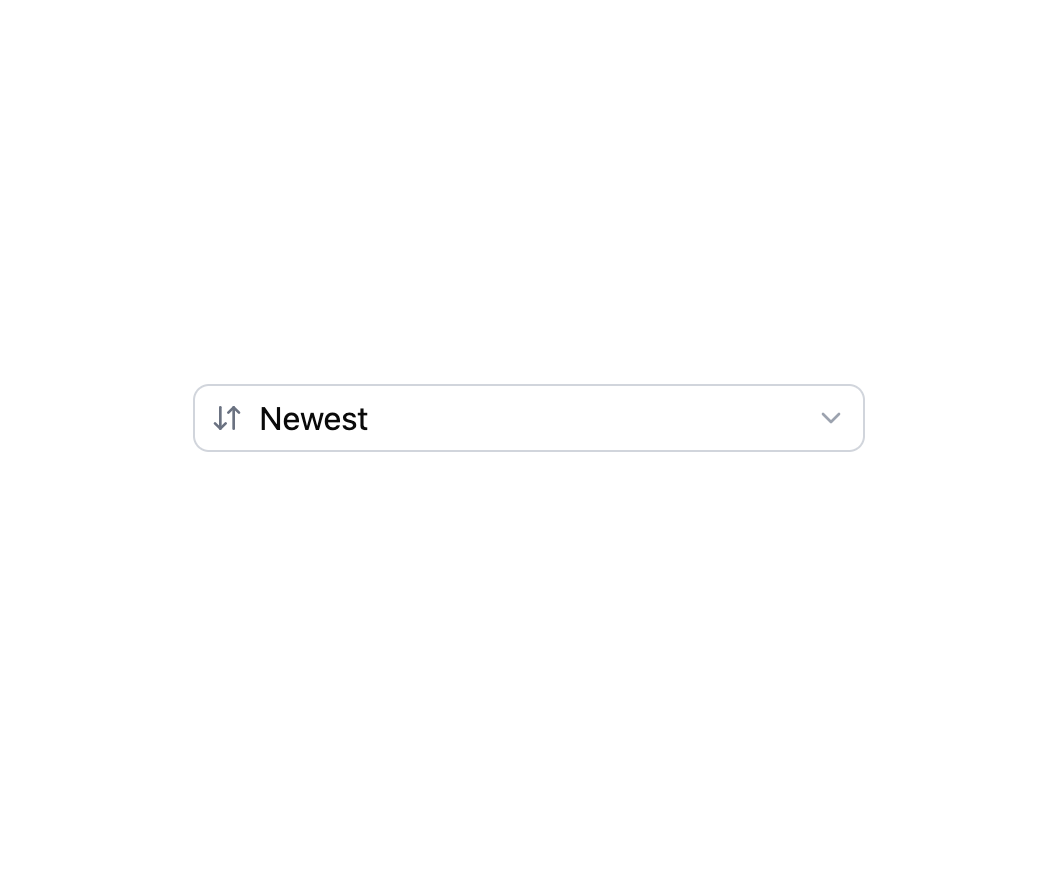
About
An accessible native dropdown field with a label, description, validation error, required mark and optional prefix/suffix adornments or grouped options.
Built with React and Tailwind. Copy the prompt and paste it into Claude Code, Cursor or Lovable: your agent adds Select to your project and fits it to your theme.
Code
How Select is used: the demo's code. The component's own source comes with a free account.
Usage.tsx
import Select from "@/components/ui/select";

function SortIcon() {
  return (
    <svg
      className="size-4"
      fill="none"
      stroke="currentColor"
      strokeLinecap="round"
      strokeLinejoin="round"
      strokeWidth={2}
      viewBox="0 0 24 24"
    >
      <path d="m3 16 4 4 4-4" />
      <path d="M7 20V4" />
      <path d="m21 8-4-4-4 4" />
      <path d="M17 4v16" />
    </svg>
  );
}

export default function SelectAdornmentDemo() {
  return (
    <div className="flex w-full max-w-sm flex-col gap-6 bg-background p-6 text-foreground">
      <Select
        aria-label="Sort by"
        prefix={<SortIcon />}
        options={[
          { label: "Newest", value: "newest" },
          { label: "Oldest", value: "oldest" },
          { label: "Price: low to high", value: "price-asc" },
          { label: "Price: high to low", value: "price-desc" },
        ]}
      />
    </div>
  );
}
More by robertlib
View all
Timeline
8
Spinner
3
Collapsible Content
1
Chip
1
Switch
1
Progress Indicator
1
Avatar
Form Description