
About
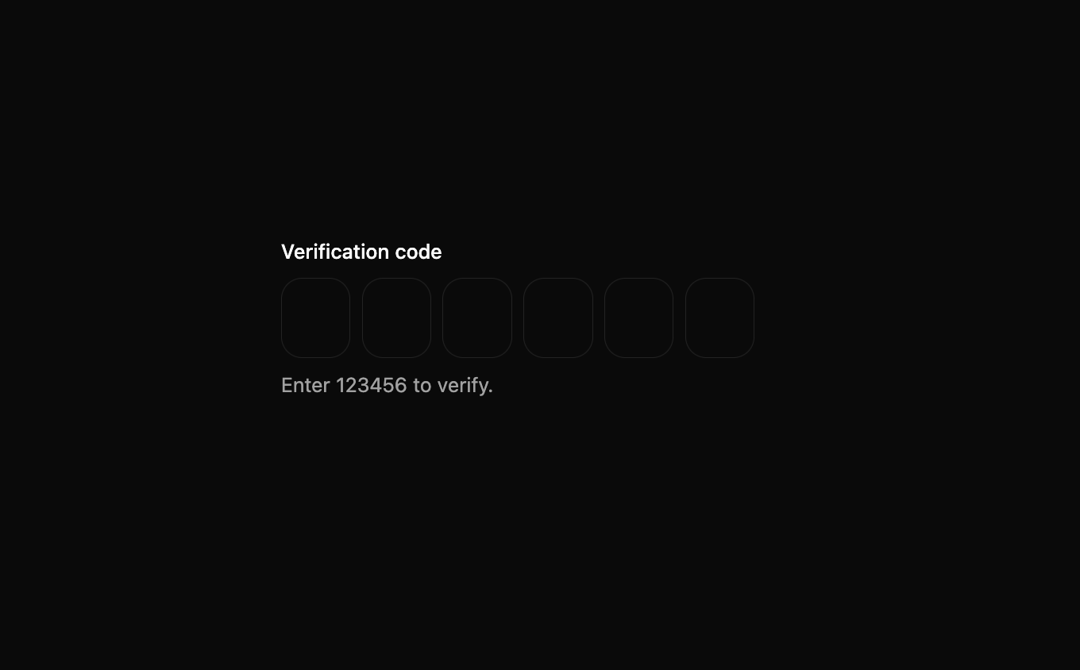
This is OTP Input component
Built with React and Tailwind. Copy the prompt and paste it into Claude Code, Cursor or Lovable: your agent adds BeUI OTP Input to your project and fits it to your theme.
Code
How BeUI OTP Input is used: the demo's code. The component's own source comes with a free account.
Usage.tsx
"use client";

import { useState } from "react";
import { OTPInput, type OTPStatus } from "@/components/ui/be-ui-otp-input";

const CODE = "123456";

export default function OTPInputPreview() {
  const [value, setValue] = useState("");
  const [status, setStatus] = useState<OTPStatus>("idle");

  return (
    <div className="flex flex-col items-center gap-4">
      <OTPInput
        label="Verification code"
        hint={`Enter ${CODE} to verify.`}
        successMessage="Verified."
        errorMessage="Wrong code, try again."
        value={value}
        status={status}
        onChange={(v) => {
          setValue(v);
          if (status !== "idle") setStatus("idle");
        }}
        onComplete={(v) => setStatus(v === CODE ? "success" : "error")}
      />
    </div>
  );
}
Dependencies
More by Saurabh
View all
BeUI Tilt Card
374
BeUI Expandable Tabs
351
BeUI File Upload
296
BeUI Bouncy Accordion
206
Animated Sidebar
200
BeUI Create Menu
199
BeUI Expanable Action Bar
194
Loader
187
More in Forms
View all

Premium Auth
524

Contact Card
1K

Book A Demo 1
73

Login 1
53

Form
137

Card Studio
41

Split Sign In Form
46
SignInPage
667
