
About
Built with React and Tailwind. Copy the prompt and paste it into Claude Code, Cursor or Lovable: your agent adds BeUI Radio Group to your project and fits it to your theme.
Code
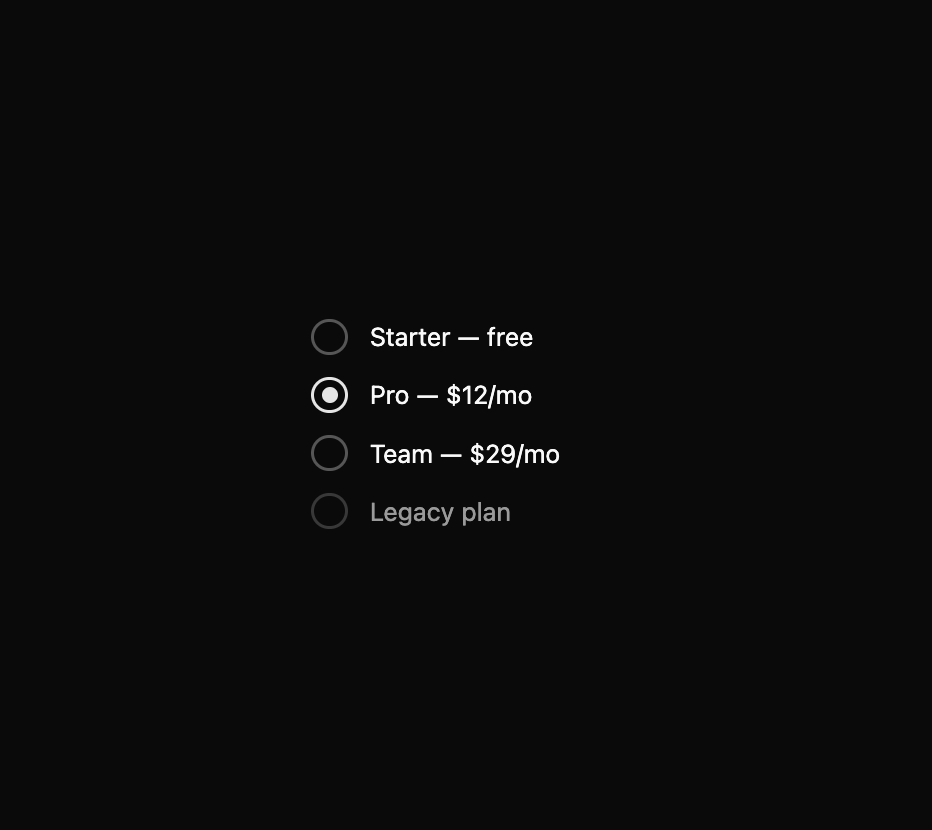
How BeUI Radio Group is used: the demo's code. The component's own source comes with a free account.
Usage.tsx
"use client";

import { useState } from "react";
import { RadioGroup, RadioGroupItem } from "@/components/ui/beui-radio-group";

export default function RadioPreview() {
  const [plan, setPlan] = useState("pro");

  return (
    <RadioGroup value={plan} onValueChange={setPlan} className="min-w-48">
      <RadioGroupItem value="starter" label="Starter — free" />
      <RadioGroupItem value="pro" label="Pro — $12/mo" />
      <RadioGroupItem value="team" label="Team — $29/mo" />
      <RadioGroupItem value="legacy" label="Legacy plan" disabled />
    </RadioGroup>
  );
}
Dependencies
More by Saurabh
View all
BeUI Tilt Card
374
BeUI Expandable Tabs
351
BeUI File Upload
296
BeUI Bouncy Accordion
206
Animated Sidebar
202
BeUI Create Menu
199
BeUI Expanable Action Bar
194
Loader
188
More in Pricing
View all
Pricing Section
606
pricing section
166

Pricing Section
181

Pricing Card
372

RuixenPricing05
103

Pricing Cards
17

Boxly Pricing-1
90
Colorful-Pricing
86


