
About
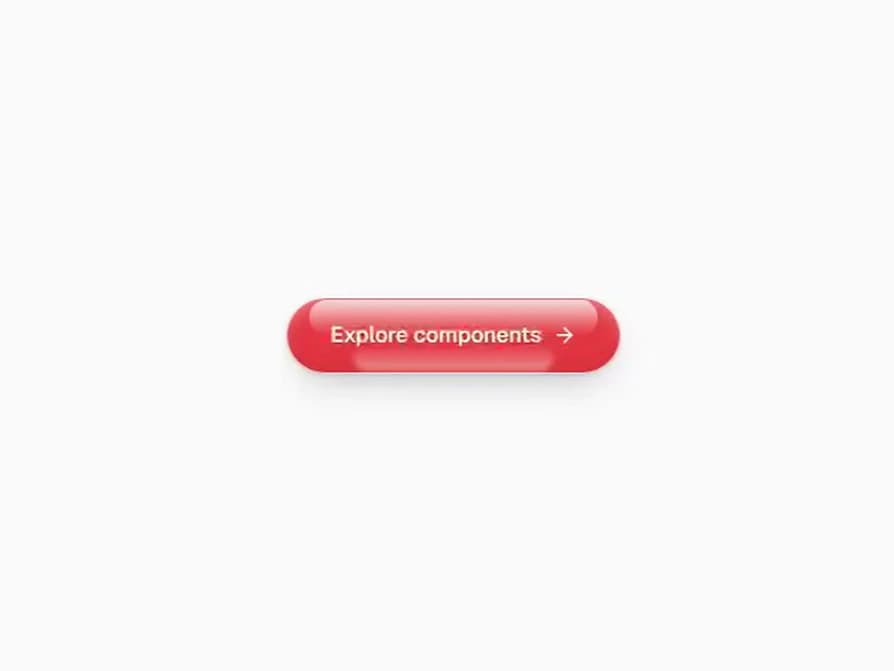
A red glass button that shoots silk threads at the pointer. They leave from the edge facing it, meet at the pointer and spring back when it leaves. Red by default, or any tint, and the label turns black on light glass. On a phone, press and drag out of the button.
Built with React and Tailwind. Copy the prompt and paste it into Claude Code, Cursor or Lovable: your agent adds Web Shot Button to your project and fits it to your theme.
Code
How Web Shot Button is used: the demo's code. The component's own source comes with a free account.
Usage.tsx
import { ArrowRight } from "lucide-react";
import { Component as WebShotButton } from "@/components/ui/web-shot-button";

export default function WebShotButtonDemo() {
  return (
    <div className="flex min-h-[420px] w-full items-center justify-center p-10">
      <WebShotButton>
        Explore components
        <ArrowRight />
      </WebShotButton>
    </div>
  );
}
Dependencies
More by Mohamed Uvaish
View all

Signature Pad
435
Folder Card
347
Share Dialog
313
Kanban Board
272
Notification Panel
112
Charts & KPI Cards
100
Rich Text Editor
50
Command Menu
39
More in Buttons
View all

Button
1
Texture Button
97

Eclipse Button
39

App Store Button
458

HeroUI Button Group
2
Button
4

Button
65
Button
68


